Easy to use Image Management Software
Store your images in organized folders that are either a nested treeview, or an intuitive cabinet/folder interface. Auto-sort images as they come in to your collection.
Features include:
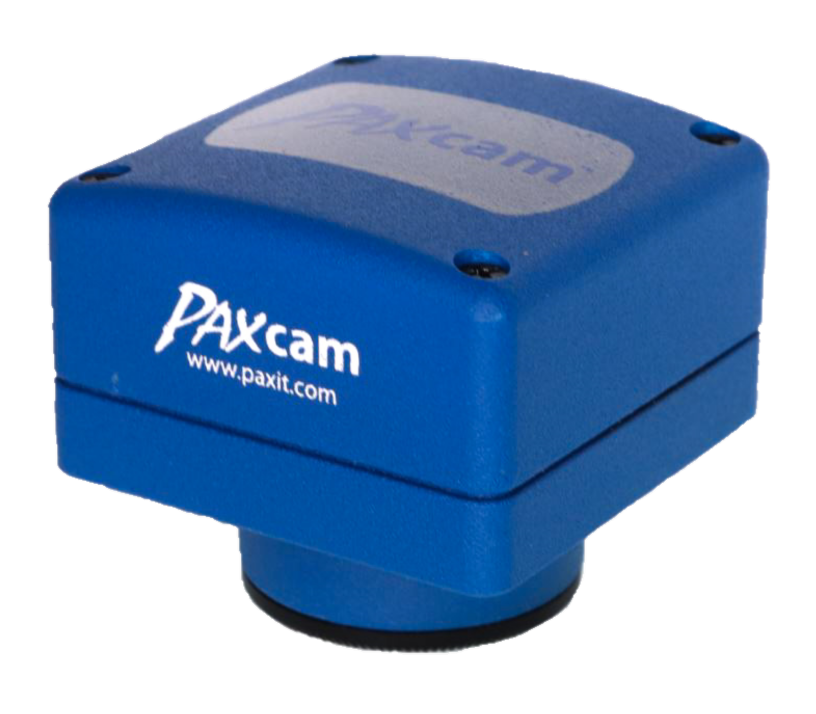
- Couple with PAXcam for high res imaging from your scope or optics
- Process images, share images, create reports
- Non-image file types may also be stored in your PAX-it project folders
- Modular system can grow with your lab!
Image Analysis – Image Analysis Software
Create your own PAX-it database layout, to tag images with metadata for storing, searching and quick retrieval. Never lose an image again!
Features include:
- Archives for images and other assets may be on local drives, network, and external media
- Capture/scan/import straight to archives
- Define your own archive structure and database fields
- Quick-Search feature, plus advanced database searching, and extensive toolset for working with retrieved images
Circles, arrows, boxes, text and other annotations may be placed on images for highlighting features. Stamp images with editable overlays, scale bars, and much more.
Features include:
- Create non-destructive overlays on images
- Edit overlays for size, color, and placement
- Create templates for auto-stamping images with notes and mark-ups
- Overlay database field information on images
Powerful processing functions extend the capabilities of your lab by providing tools for enhanced imaging.
Features include:
- Fusion of focal planes from a series of captured images
- Stitching of overlapping fields of view
- High Dynamic Range imaging for extreme lighting conditions
- Video clip creation, background correction, and more!
PAX-it provides many easy-to-use tools for quick, accurate measurements & reporting.
Features include:
- Lines, Areas, Arcs, Angles, Circles, Ellipses, and more!
- Name your measurements with titles for easy identification
- Extensive line measurement tools including stored multi-line procedures
- CAD-like functions for snap, trim, extend, and duplicate
Auto-detect objects and areas in your images for counting, sizing, and distributions.
Features include:
- Routines for monochrome or color threshold analysis
- Spots, layers, nodules, materials analysis / metallography, stains, and more.
- Optical Profile and Critical Dimension measurements
- Options for automation of routines
PAX-it Image Management Software has a one-click interface for creating custom reports using your images, database information, measurements, and other PAX-it data.
Features include:
- Take images seamlessly to Microsoft Office applications (Word, Excel, PowerPoint)
- No copy/pasting– the link is done for you!
- Create custom report templates and layouts
- Multi-page, multi-image templates supported
Multiple methods for sharing include reporting, exporting, networking, and live streaming tools.
Features include:
- One-click links to MS-Office products for creating reports, presentations, email, spreadsheets
- Network site licensing allows shared collections of images and other assets on your fileserver.
- Live streaming of PAXcam camera views or PAX-it workspace views are available as collaboration tools.
Extended Security functions lock down images for editing, and validate images as unedited. Audit trails maintain an image’s history and log user activity.
Features include:
- Tools for 21CFR11 compliance
- Prevent tampering with assets, and authenticate as original and unaltered
- Create user profiles with permissions or restrictions
- Log user activity and image origins
PAX-it Scripting allows control of hardware and software for automating an imaging sequence, including capture, storage, analysis, and reporting.
Features include:
- Control hardware, software, and reporting
- Create routines for automated microscopy & analysis
- Interfaces to MIS hardware for control of camera, scope, stage, filter wheels, and more
- Write your own routines, or edit sample scripts
Add PAX-it Software to your existing hardware, or have MIS integrate a turnkey package that is configured for your needs.
Features include:
- Digital cameras, hot stages, motorized stages, microscopes, macrostands, and much more
- Create integrated systems for imaging projects
- Combine hardware with PAX-it’s management, measurement & analysis tools
- Options for automation of hardware through computer control
MIS specializes in custom programming, when off-the-shelf software cannot be found to do the task. Contact us!
Features include:
- Create special features, user interfaces, or workflows
- Create new analysis routines, and even entire new applications
- All custom work is according to your specifications and needs
- Small projects and extensive projects are given the same attention and proper testing